SagePay
SagePay is a popular UK payment gateway. Learn more about SagePay on their website at https://www.sagepay.co.uk/
Documentation
This gateway does not ship with Blesta by default, but can be downloaded from GitHub here.
Installing SagePay
To install the SagePay payment gateway, visit [Settings] > [Company] > [Payment Gateways] > Available, and click the "Install" button for SagePay.

A message will be displayed, indicating that the payment gateway was successfully installed.
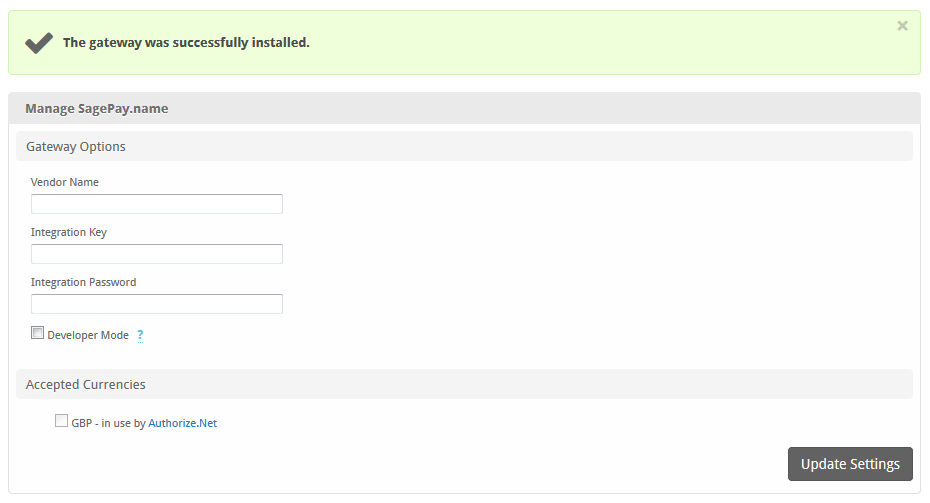
Enter the details provided by SagePay. For info on where to find these credentials, see https://test.sagepay.com/documentation/#getting-your-api-credentials
| Field Name | Description |
|---|---|
| Vendor Name | The vendor name for your SagePay account |
| Integration Key | The integration key generated by SagePay |
| Integration Password | The integration password generated by SagePay |
| Accepted Currencies | Check the currencies that you would like to be processed through this payment gateway.The following currencies are available:GBP |
When finished, click "Update Settings" to save the details. You have successfully installed and configured SagePay!