BluePay
BluePay is a payment processor offering all-in-one merchant accounts, eliminating the need for third-party gateways. Learn more about BluePay on their website at http://www.bluepay.com/.
Credit Card Processing Features
| Local Storage | Token Storage | Process | Refund | Void |
|---|---|---|---|---|
| YES | NO | YES | YES | YES |
ACH Processing Features
| Local Storage | Token Storage | Process | Refund | Void |
|---|---|---|---|---|
| YES | NO | YES | YES | YES |
Installing BluePay
To install the BluePay payment gateways, visit [Settings] > [Company] > [Payment Gateways] > Available, and click the "Install" button for BluePay.

A message will be displayed, indicating that the payment gateway was successfully installed.
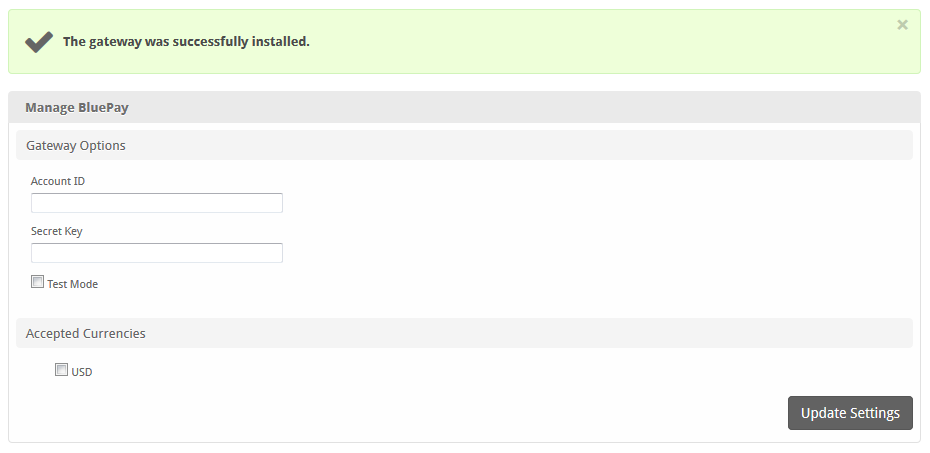
Enter the details provided by BluePay.
Warning
In order to use Test Mode, see the instructions in the testing guide https://www.bluepay.com/developers/testing/
| Option | Details |
|---|---|
| Account ID | Enter the Account ID provided by BluePay or your merchant account provider. |
| Secret Key | Enter the Secret Key provided by BluePay or your merchant account provider. |
| Test Mode | Check to enable Test Mode. If checked, transactions will be processed in test mode and will not settle. |
| Accepted Currencies | Check the currencies that you would like to be processed through this payment gateway.The following currencies are available:USD |
When finished, click "Update Settings" to save the details. You have successfully installed and configured BluePay!