Paystack
Paystack is a payment processor for Africa. Learn more about Paystack on their website at https://paystack.com/.
Installing Paystack
To install the Paystack payment gateway, visit [Settings] > [Company] > [Payment Gateways] > Available, and click the "Install" button for Paystack.

A message will be displayed, indicating that the payment gateway was successfully installed.
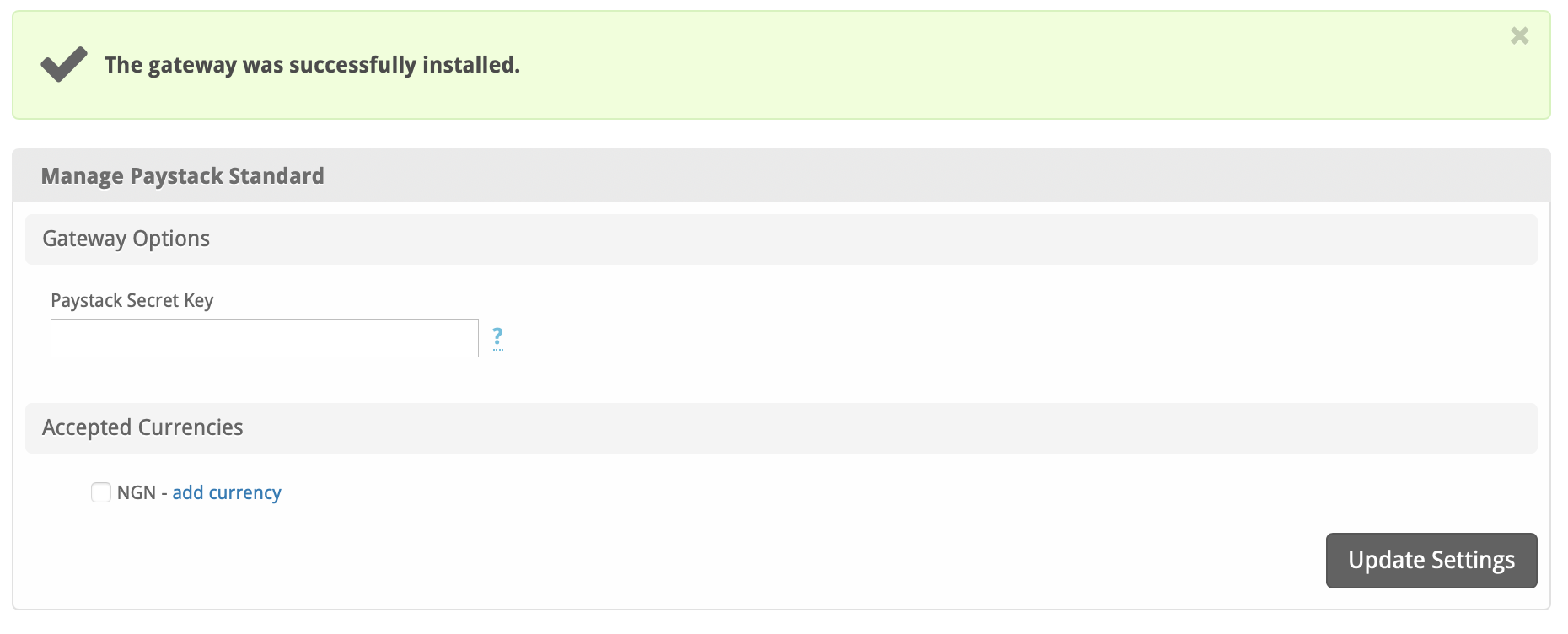
Enter the details provided by Paystack.
| Field Name | Description |
|---|---|
| Paystack Secret Key | Enter the Secret Key provided by Paystack. |
| Accepted Currencies | Check the currencies that you would like to be processed through this payment gateway.The following currencies are available:NGN, GHS, ZAR |
When finished, click "Update Settings" to save the details. You have successfully installed and configured Paystack!
Common Issues
Transactions are not being created in Blesta after a client makes a Paystack payment.
Make sure Paystack's IPN is enabled. If it's not enabled, you will need to set a URL.
- Log into your Paystack account
- Go to Settings then “API Keys & Webhooks"
- Enter the Webhook URL and hit “Save”
The Webhook URL will be something like https://yourdomain.com/blesta_directory/callback/gw/1/paystackwhere "1" is your company ID. If you do not have any addon companies, or don't know what that is, use "1".