Authorize.net Accept.js
Authorize.net is one of the most popular payment gateways in the United States. Learn more about Authorize.net on their website at http://www.authorize.net/.
Credit Card Processing Features
| Local Storage | Token Storage | Process | Refund | Void |
|---|---|---|---|---|
| YES, AIM | YES | YES | YES | YES |
* With Token Storage, credit card details pass through Blesta to Authorize.net's API. Blesta never stores the credit card number.
Installing Authorize.net Accept.js
To install the Authorize.net payment gateway, visit [Settings] > [Company] > [Payment Gateways] > Available, and click the "Install" button for Authorize.net Accept.js.

A message will be displayed, indicating that the payment gateway was successfully installed.
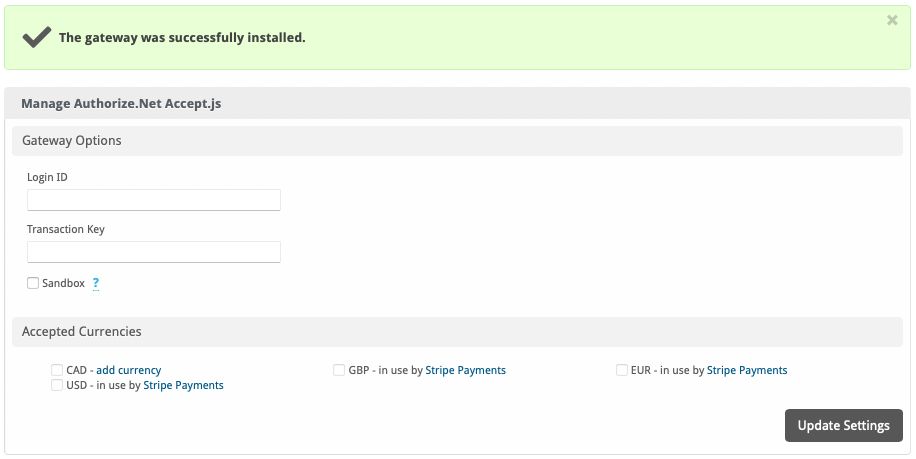
Enter the details provided by Authorize.net.
In order to use Sandbox Mode, see the instructions in the testing guide https://developer.authorize.net/hello_world/testing_guide/
| Field Name | Description |
|---|---|
| Login ID | Enter the Login ID provided by Authorize.net for API requests. |
| Transaction Key | Enter the Transaction Key provided by Authorize.net for API requests. |
| Sandbox | Check to enable Sandbox mode. In this mode, transactions will be posted to the Authorize.net developer environment. You must have a developer test account in order to use this environment. |
| Accepted Currencies | Check the currencies that you would like to be processed through this payment gateway.The following currencies are available:CAD, GBP, EUR, USD |
When finished, click "Update Settings" to save the details. You have successfully installed and configured Authorize.net!
Potential Issues
Q: When in sandbox mode, I get an error that says "Payment could not be authorized for the selected payment account. Please select a different account or try again." during checkout.
A: Please use the American Express test card from https://developer.authorize.net/hello_world/testing_guide.html Some of the other cards do not pass the regular expression card type checks as a real card would.
- Credit Card emails (e.g. Payment Approved (Credit Card)) may have missing content when payment is made without saving the details as a payment method. To help with this, replace "{card_type}" with "{card_type | set_default "credit card"}"and replace ", ending in {last_four}" with "{% if last_four %}, ending in {last_four}{% endif %}"