Mass Mailer
Mass Mailer is a plugin that allows the administrator to send bulk emails to clients. You can choose which customers you would like to send the email to, and it uses the cron job to send so it works in the background.
Tie-Ins*
| Widgets | Nav Links | Client Cards | Automation Tasks | Email Templates | ACL Permissions | Search | Events | Service Management |
|---|---|---|---|---|---|---|---|---|
| NONE | YES | NONE | YES | NONE | YES | NONE | NONE | NONE |
* Plugins are powerful and are not limited to the tie-ins listed above, these are just some of the most common
Installing Mass Mail
To install the Mass Mailer plugin, visit [Settings] > [Company] > [Plugins] > Available, and click the "Install" button for Mass Mailer.

A message will be displayed, indicating that the plugin was successfully installed.

Usage
The plugin registers a link within the Tools menu called "Mass Mailer".
Using the Mass Mailer
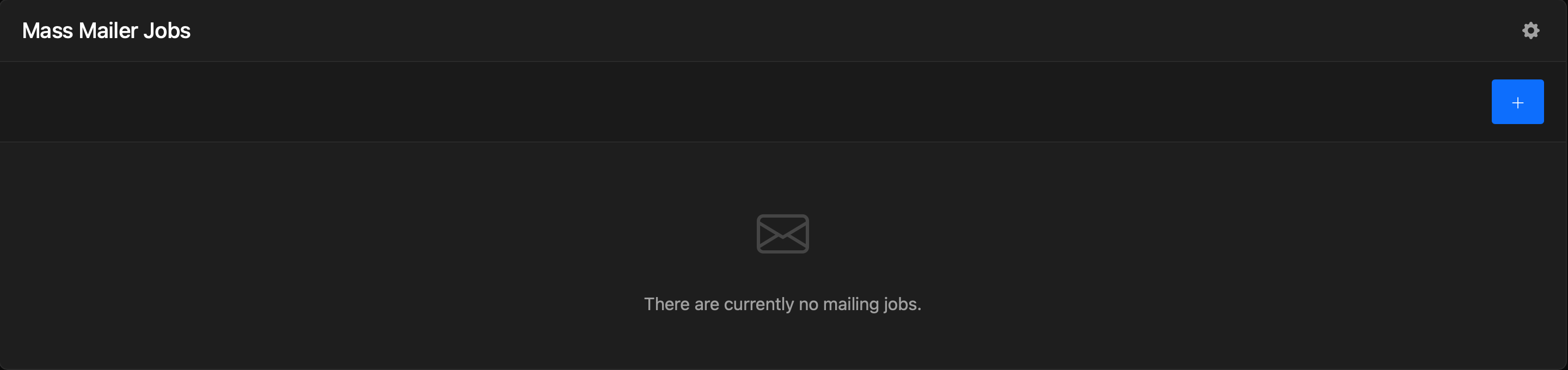
When you click onto the Mass Mailer [Tools] > [Mass Mailer], you will see the Mass Mailer Jobs box, this will show you mailing jobs pending or completed.
Creating a Mailing job
Click on the "+" on the mailing jobs box to create a mailing job.
Client Filtering Options
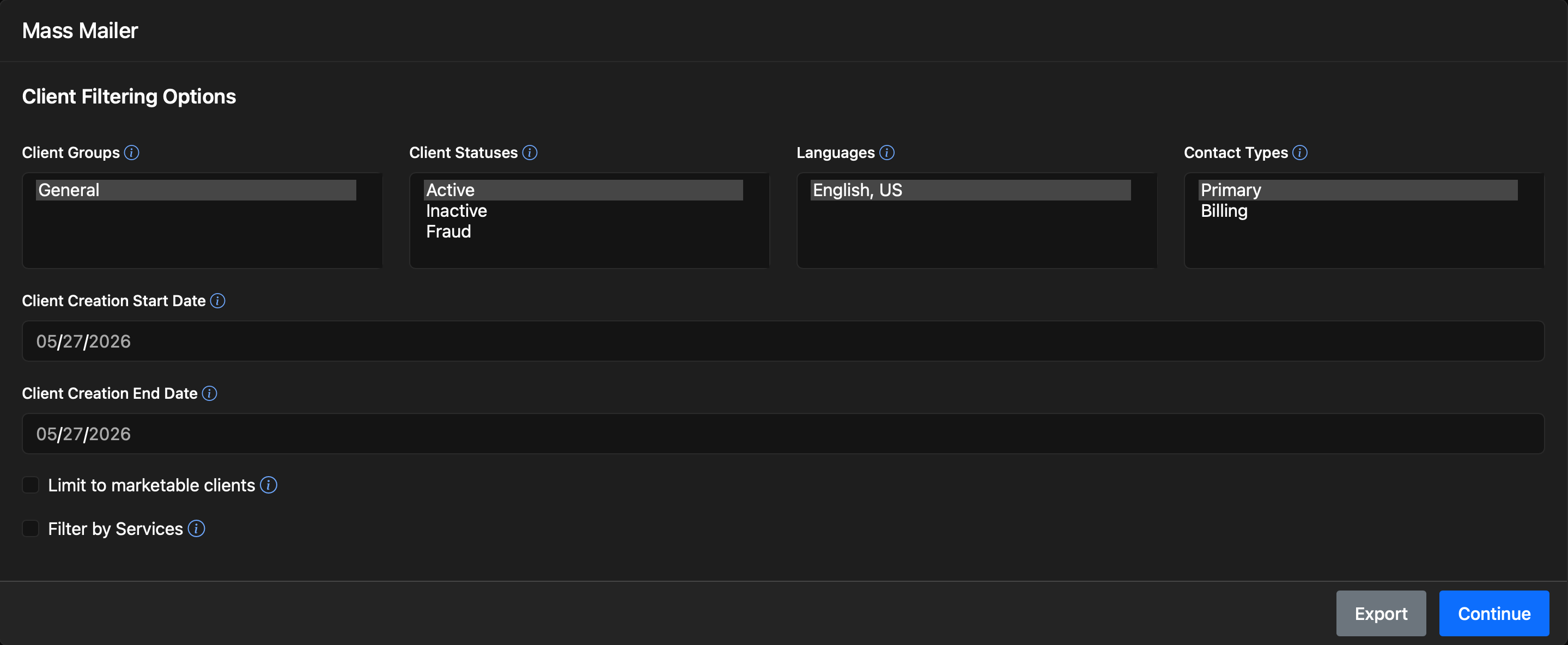
The Client Filtering Options section consists of the following options:
| Field Name | Description |
|---|---|
| Client Groups | Clients must belong to one of the selected groups. |
| Client Statuses | Clients must belong to one of the selected statuses. |
| Languages | Clients must have their language set to one of the selected languages. |
| Contact Types | Contacts must belong to one of the selected types. |
| Client Creation Start Date | Clients must have been created on, or after, this date. Leave this field blank to ignore it. |
| Client Creation End Date | Clients must have been created on, or before, this date. Leave this field blank to ignore it. |
| Filter by Services | If this option is checked, clients must also match the service filtering criteria. |
Service Filtering Options
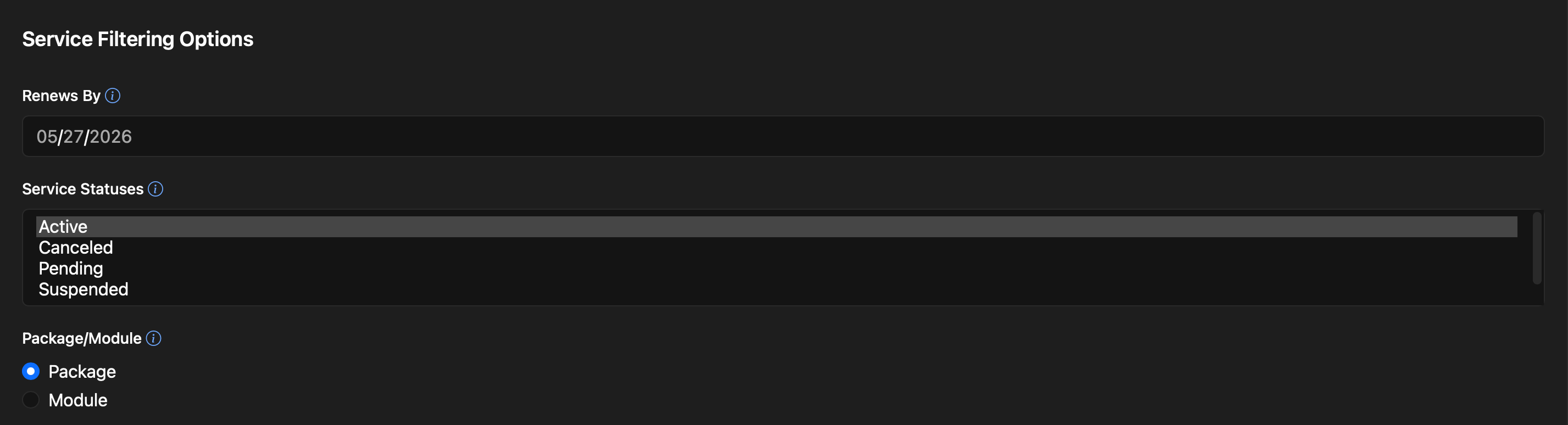
The Services Filtering Options section consists of the following options:
| Field Name | Description |
|---|---|
| Renews By | Services must renew on, or before, this date. Leave this field blank to ignore it. |
| Service Statuses | Services must be in one of the selected statuses. |
| Package / Module | Services will be further filtered by either package or module. |
Package Filtering Options
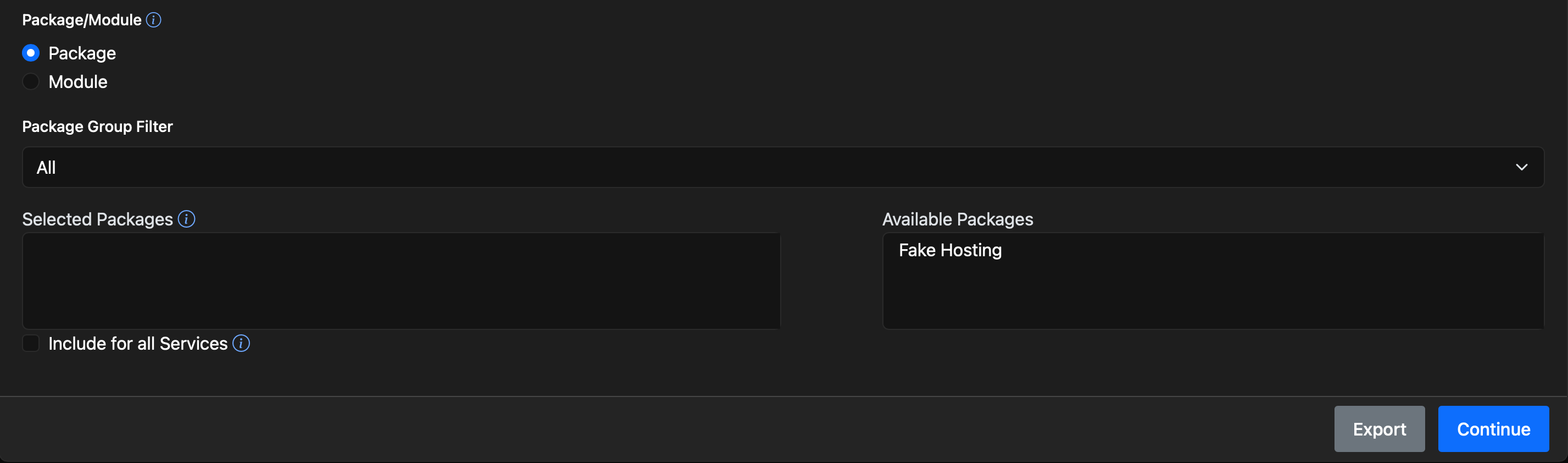
The Package Filtering Options section consists of the following options:
| Field Name | Description |
|---|---|
| Package Group Filter | Select the "Package Group" from the dropdown to locate available packages easier, otherwise you can see all the package by selecting "All". |
| Selected Packages | Services must belong to one of the selected packages. |
| Include for all Services | If this option is checked, all services will be included. Contacts will, potentially, receive multiple emails; one for every matching service. If unchecked, contacts will only receive one email, which will contain the first matching service. |
Module Filtering Options
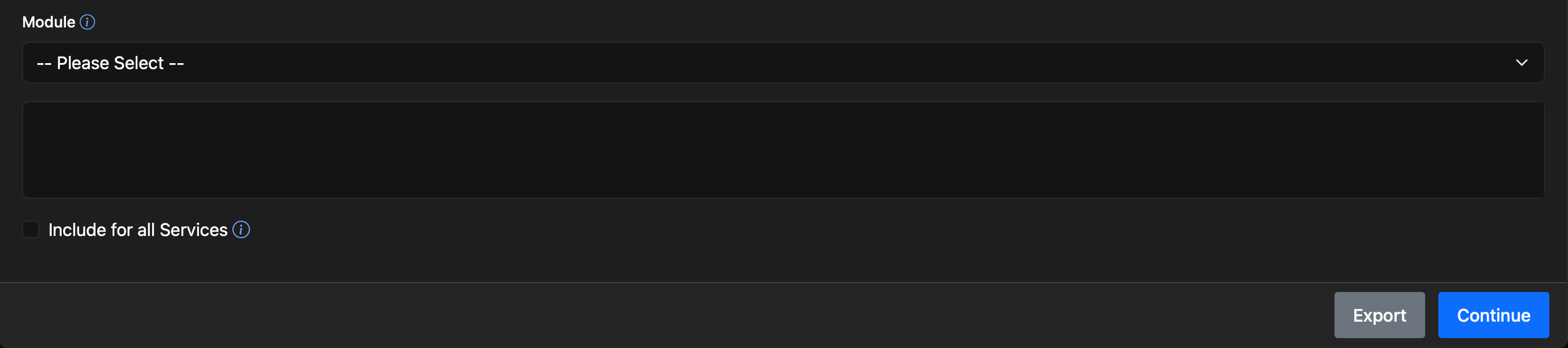
The Module Filtering Options section consists of the following options:
| Field Name | Description |
|---|---|
| Module | Services must belong to the selected module. |
| Include for all Services | If this option is checked, all services will be included. Contacts will, potentially, receive multiple emails; one for every matching service. If unchecked, contacts will only receive one email, which will contain the first matching service. |
After selecting the filtering options you can either "export" the results to a CSV which you can download from the mailing jobs box and use externally or click on continue.
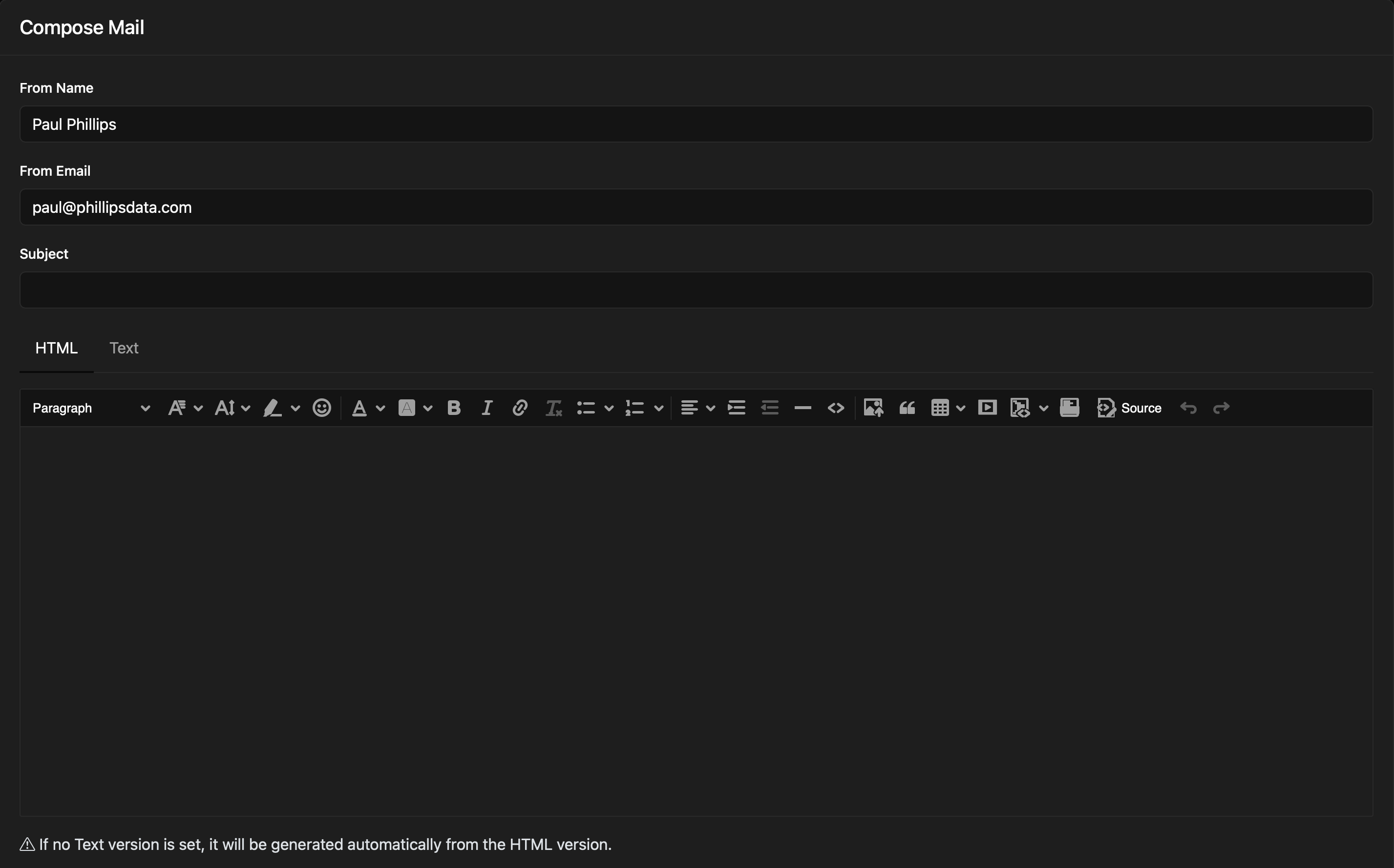
Compose Mail
| Field Name | Description |
|---|---|
| From Name | Your name will be pre-filled, however you can change it or use your company name i.e "Company Name: Department Name". |
| From Email | Your email address will be pre-filled, however you can change it or use your company email address i.e "billing@yourdomain.com". |
| Subject | Enter the subject for the email. |
| HTML / Text | Enter your email content in the html / text boxes. If no Text version is set, it will be generated automatically from the HTML version. |
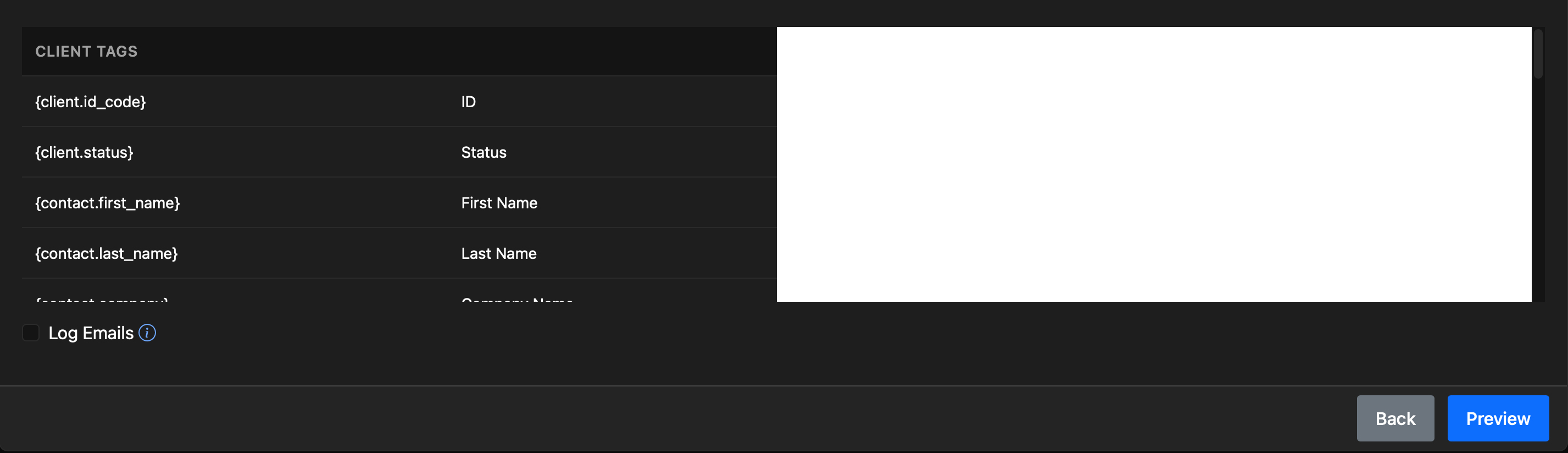
| Client Tags / Service Tags | The "Client Tags" and "Service Tags" sections describes tags that may be used in the welcome email with a description next to them to explain what they are. |
| Log Emails | If checked, all emails that are sent will be logged in Blesta. |
Sample Email
This sample email could be used in the Email section to help you get started.
Hello {contact.first_name} {contact.last_name},

This is just an email to let you know that we have changed the server that your {package.name} is hosted on.
Please note you won't need to do a thing and can log into your {module.name} account the same way you did before on your client area.

Kind regards,
Your Name
Company Name
Client Tags
The Client Tags consists of the following:
| Tags | Description | Notes |
|---|---|---|
| {client.id_code} | ID | e.g. "1501" |
| {client.status} | Status | e.g. "Active" |
| {contact.first_name} | First Name | |
| {contact.last_name} | Last Name | |
| {contact.company} | Company Name | |
| {contact.address1} | Address 1 | |
| {contact.address2} | Address 2 | |
| {contact.city} | City | |
| {contact.state} | State | |
| {contact.country} | Country | |
| {contact.zip} | Zip / Postal code | |
| {contact.email} | Email Address | |
| {contact.date_added} | Member Date | e.g. "2016-05-05 11:18:56" |
Additional TagsDue to the nature of tag objects containing several fields, many of which are likely irrelevant for use in email templates, but may be useful to you in certain circumstances, a dump of the tags are shown below.
The {contact} object Expand source
stdClass Object
        (
            [id] => 1
            [client_id] => 1
            [user_id] =>
            [contact_type] => primary
            [contact_type_id] =>
            [first_name] => Bill
            [last_name] => Lang
            [title] =>
            [company] => Phillips Data, Inc.
            [email] => yourname@yourdomain.com
            [address1] => PO BOX 25423
            [address2] =>
            [city] => Anaheim
            [state] => CA
            [zip] => 92825
            [country] => US
            [date_added] => 2016-05-05 11:16:56
            [contact_type_name] =>
            [contact_type_is_lang] =>
        )
The {client} object Expand source
stdClass Object
        (
            [id] => 1
            [id_format] => {num}
            [id_value] => 1500
            [user_id] => 2
            [client_group_id] => 1
            [primary_account_id] =>
            [primary_account_type] =>
            [status] => active
            [id_code] => 1500
            [contact_id] => 1
            [first_name] => Bill
            [last_name] => Lang
            [company] => Phillips Data, Inc.
            [email] => yourname@yourdomain.com
            [address1] => PO BOX 25423
            [address2] =>
            [city] => Anaheim
            [state] => CA
            [zip] => 92825
            [country] => US
            [group_name] => General
            [company_id] => 1
            [username] => yourname@yourdomain.com
            [two_factor_mode] => none
            [two_factor_key] =>
            [two_factor_pin] =>
            [date_added] => 2016-05-05 11:16:56
        )
Service Tags
The Service Tags consists of the following:
| Tags | Description | Notes |
|---|---|---|
| {package.name} | Package Name | e.g. "DirectAdmin Bronze" |
| {package.description} | Package Text Description | |
| {package.description_html} | Package HTML Description | |
| {package.status} | Package Status | e.g. "Active" |
| {service.name} | Label | |
| {service.date_added} | Date Added | |
| {service.date_renews} | Date Renews | |
| {service.date_last_renewed} | Date Last Renewed | |
| {service.date_suspended} | Date Suspended | |
| {service.date_canceled} | Date Canceled | |
| {service.status} | Status | e.g. "Active" |
| {module.name} | Module Name | |
| {module.label} | Module Row Label |
Additional TagsDue to the nature of tag objects containing several fields, many of which are likely irrelevant for use in email templates, but may be useful to you in certain circumstances, a dump of the tags are shown below.
Please note that the tags may vary depending on the module. We are using the DirectAdmin module for these examples.
The {service} object Expand source
 stdClass Object
        (
            [id] => 1
            [parent_service_id] =>
            [package_group_id] => 1
            [id_format] => {num}
            [id_value] => 1
            [pricing_id] => 1
            [client_id] => 2
            [module_row_id] => 2
            [coupon_id] =>
            [qty] => 1
            [override_price] =>
            [override_currency] =>
            [status] => active
            [date_added] => 2016-05-05 11:44:22
            [date_renews] => 2016-06-05 11:44:22
            [date_last_renewed] =>
            [date_suspended] =>
            [date_canceled] =>
            [id_code] => 1
            [fields] => Array
                (
                    [0] => stdClass Object
                        (
                            [key] => direct_admin_domain
                            [value] => stellarvps.com
                            [serialized] => 0
                            [encrypted] => 0
                        )

                    [1] => stdClass Object
                        (
                            [key] => direct_admin_email
                            [value] => youremail@yourdomain.com
                            [serialized] => 0
                            [encrypted] => 0
                        )

                    [2] => stdClass Object
                        (
                            [key] => direct_admin_ip
                            [value] => 62.65.82.167
                            [serialized] => 0
                            [encrypted] => 0
                        )

                    [3] => stdClass Object
                        (
                            [key] => direct_admin_password
                            [value] => 01283hekles98i12ayhew834854juhfredw
                            [serialized] => 0
                            [encrypted] => 1
                        )

                    [4] => stdClass Object
                        (
                            [key] => direct_admin_username
                            [value] => stellar
                            [serialized] => 0
                            [encrypted] => 0
                        )

                )

            [package_pricing] => stdClass Object
                (
                    [id] => 1
                    [package_id] => 1
                    [pricing_id] => 1
                    [term] => 1
                    [period] => month
                    [price] => 5.0000
                    [setup_fee] => 0.0000
                    [cancel_fee] => 0.0000
                    [currency] => USD
                )

            [package] => stdClass Object
                (
                    [id] => 1
                    [id_format] => {num}
                    [id_value] => 1
                    [module_id] => 3
                    [name] => DirectAdmin Bronze
                    [description] =>
                    [description_html] =>
                    [qty] =>
                    [module_row] => 2
                    [module_group] =>
                    [taxable] => 0
                    [single_term] => 0
                    [status] => active
                    [company_id] => 1
                    [prorata_day] =>
                    [prorata_cutoff] =>
                )

            [options] => Array
                (
                )

            [name] => stellarvps.com
        )
The {module} object Expand source
stdClass Object
        (
            [host_name] => directadmin-dev.blesta.com
            [name_servers] => Array
                (
                    [0] => dns1.blesta.com
                    [1] => dns2.blesta.com
                )

            [name] => DirectAdmin
            [label] => DirectAdmin 1
        )
The {module} object Expand source
stdClass Object
        (
            [id] => 1
            [id_format] => {num}
            [id_value] => 1
            [module_id] => 3
            [name] => DirectAdmin Bronze
            [description] =>
            [description_html] =>
            [qty] =>
            [module_row] => 2
            [module_group] =>
            [taxable] => 0
            [single_term] => 0
            [status] => active
            [company_id] => 1
            [prorata_day] =>
            [prorata_cutoff] =>
            [id_code] => 1
            [email_content] => Array
                (
                    [0] => stdClass Object
                        (
                            [lang] => en_us
                            [html] => <p>
    Your DirectAdmin account is now active, details below:<br />
    <br />
    Domain: {service.direct_admin_domain}<br />
    Username: {service.direct_admin_username}<br />
    Password: {service.direct_admin_password}<br />
    <br />
    To log into DirectAdmin please visit https://{module.host_name}:2222<br />
    Please update your name servers as soon as possible to the following:<br />
    <br />
    {% for name_server in module.name_servers %}<br />
    Name server: {name_server}{% endfor %}<br />
    <br />
    Thank you for your business!</p>

                            [text] => Your DirectAdmin account is now active, details below:

Domain: {service.direct_admin_domain}
Username: {service.direct_admin_username}
Password: {service.direct_admin_password}

To log into DirectAdmin please visit https://{module.host_name}:2222
Please update your name servers as soon as possible to the following:

{% for name_server in module.name_servers %}
Name server: {name_server}{% endfor %}

Thank you for your business!
                        )

                )

            [pricing] => Array
                (
                    [0] => stdClass Object
                        (
                            [id] => 1
                            [pricing_id] => 1
                            [package_id] => 1
                            [term] => 1
                            [period] => month
                            [price] => 5.0000
                            [setup_fee] => 0.0000
                            [cancel_fee] => 0.0000
                            [currency] => USD
                        )

                )

            [meta] => stdClass Object
                (
                    [ip] => 62.65.82.167
                    [package] => TestUserPackage
                    [type] => user
                )

            [groups] => Array
                (
                    [0] => stdClass Object
                        (
                            [id] => 1
                            [name] => DirectAdmin
                            [description] =>
                            [type] => standard
                            [company_id] => 1
                            [allow_upgrades] => 1
                        )

                )

            [option_groups] => Array
                (
                )

            [ip] => 62.65.82.167
            [package] => TestUserPackage
            [type] => user
        )
If you have made a mistake you can click back and when you are finished click "preview".
Preview Mailing

On the "Preview Mailing" page you can see the total number of contacts which will be emailed, as-well as the HTML and Text versions of the email you are sending. When you are happy with it, click on the "Send" button and it will be added to your Mailing Jobs which will be sent when the next cron job runs. If your server crashes the cron will pick itself up where it left off.