Removing Branding
Please note that branding should be removed from unbranded licenses only. Removing branding from a branded license is in violation of the licensing agreement. It is also a violation of the license agreement to claim copyright of the software.
Branding
Branding can be removed from either the client or admin area, or both the client and admin area.
Client Area
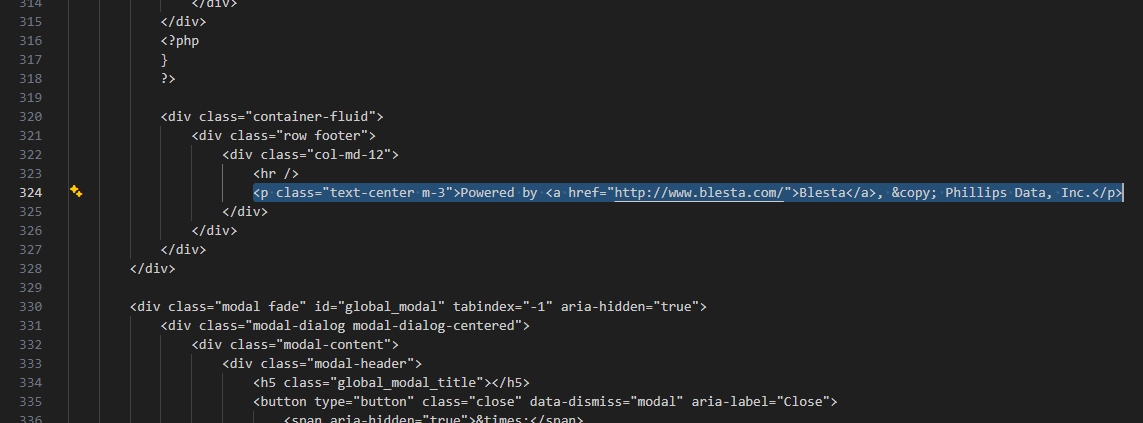
To remove client area branding, edit the file ~/app/views/client/bootstrap/structure.pdt and look toward the bottom of the file for a line that starts with <p>Powered by and remove the line.
Admin Area
It's usually not necessary to remove the branding in the admin area as no clients will see it. However, to remove admin area branding, edit the file ~/app/views/admin/paradigm/partials/sidebar.pdt and look toward the bottom of the file for a line that begins with "Blesta © 2007-" and edit as desired.
